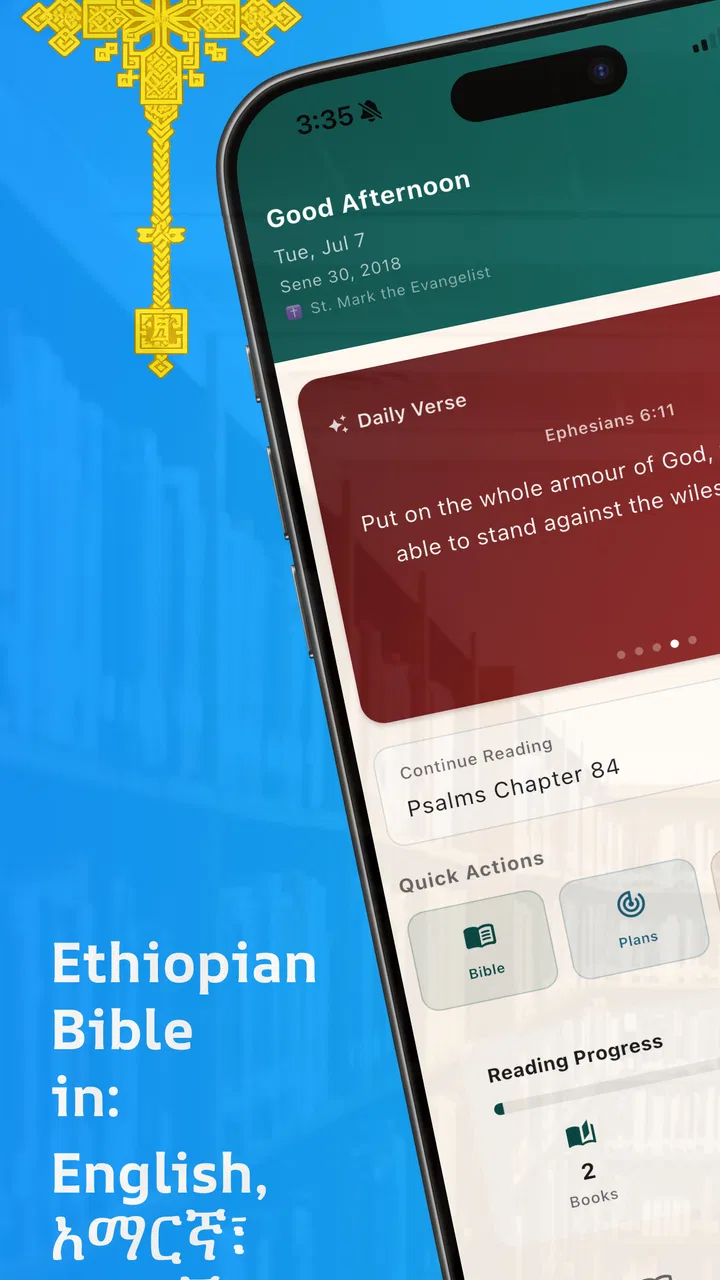
Ethiopian Bible
- 3.2
- Rating
- 100.00K
- Installs
- Free
- Price

 Analysis by App-foxy
I found Ethiopian Bible most useful as a compact reading tool for people who want Scripture available in English, Amharic, and Tigrigna without carrying a printed volume. Its idea is simple, but the language coverage gives it a more specific purpose than a general Bible reader. In my experience, the app makes the most sense when your reading life moves between languages, or when you want to compare a familiar passage with another language used in an Ethiopian or Eritrean family, church, or study group.
It is a free Books & Reference app from GeezApps, aimed at everyone rather than a narrow age group. The current release is version 2.3.1, and it runs on Android 7.0 or later. Those details matter because this is not positioned as an expensive study package or a specialist academic reference work. It is a straightforward pocket Bible, and its value depends mainly on how well its language selection fits your daily reading.
My overall view is that Ethiopian Bible is strongest as a practical multilingual reader, not as a replacement for a full-featured study Bible. If you need the text close at hand and regularly read in English, Amharic, or Tigrigna, it deserves a look. If you expect extensive notes, scholarly tools, audio material, or a polished system for managing a large library, a different Bible app may suit you better.
You May Also Like

 Blood Strike: 2.5 Anniversary
Blood Strike’s Loadouts Turn Every Drop Into a Tactical Gamble
A close look at Blood Strike’s custom loadouts: how fast access to signature weapons reshapes its battle royale rhythm, rewards preparation, and narrows the gap between fights.

 Pandora - Music & Podcasts
Pandora’s Music Is Easy to Start, but Harder to Recover
Pandora’s strength is its low-effort path from a seed to a station. Its weak spot is how much confidence it asks you to place in connection, setup, and quiet recovery.

 8 Ball Pool
 Is Built on Rivalries, Rematches, and Routine
A close look at the rivalries, rematches, shared routines, and unanswered safety questions that turn a quick pool match into a persistent mobile community.

 Samsung Music
’s Quiet Strength Is Playing What You Already Own
Its reach comes less from spectacle than from dependable access to a personal library. That simplicity is both the app’s strongest retention engine and its ceiling.

 AccuWeather: Weather Radar
AccuWeather Review: A Quick, Clear Forecast for Everyday Decisions
For everyday plans, the best forecast is the one you can understand quickly. AccuWeather makes rain timing, radar, and local conditions easy to act on, with a few trade-offs.

 Hill Climb Racing
Why Hill Climb Racing Still Turns Crashes Into One More Run
A tiny car, a bumpy hill and one more upgrade: Hill Climb Racing keeps resurfacing because its simple chaos makes every near-miss feel personal.
More From Our News Desk



How the multilingual approach works in everyday reading
The central strength is the combination of three languages in one app. Many Bible apps are built around English first and treat other languages as optional additions, while this one is clearly relevant to readers who specifically want Ethiopian Bible content. That changes the reason to install it: the app is less about collecting every possible translation and more about keeping three important reading choices together.
I would use it in two different ways. For ordinary reading, I would choose the language I understand most comfortably and keep the phone as a convenient substitute for a physical Bible. For study or family discussion, I would switch languages when a wording feels clearer in one version. Even without adding complicated tools to the process, moving between English, Amharic, and Tigrigna can help a reader notice how a familiar passage sounds in another language.
That makes the app particularly relevant for bilingual households. Imagine a parent reading a passage in Amharic with a child who is more comfortable in English, or relatives discussing a verse while each person follows along in a preferred language. In that situation, the app’s language range is not a decorative feature; it solves a real communication problem. A general English Bible can be perfectly good for one reader and still be the wrong tool for that family.
There is also a useful travel scenario. If I were visiting relatives or attending a gathering where the reading moved between languages, having the same Bible app on my phone would be more convenient than carrying separate books or searching for different websites. The phone format is especially practical for short moments: checking a passage before a conversation, reading during a commute, or following along when a printed copy is not nearby.
Why the complete text matters more than a short reference tool
The app presents itself as a complete Bible rather than a collection of selected quotations. That distinction affects how I would use it. A verse-of-the-day tool is good for a brief prompt, but it does not support the same kind of continuous reading. With a complete text in your pocket, you can begin with a passage and continue into the surrounding chapters instead of jumping between isolated excerpts.
For personal reading, that encourages a better habit. I can read a chapter, return to an earlier section, and follow a longer book at my own pace. For someone new to Bible reading, the complete format also makes the app less dependent on search. You do not need to know the exact wording of a verse before opening the book and reading through the surrounding material.
One practical tip is to decide on a reading route before opening the app. I would choose a book and continue in order rather than repeatedly searching for familiar verses. That approach makes the phone feel more like a Bible and less like a quotation finder. When I do need a particular passage, search or navigation can be useful, but the app’s real purpose is broader than finding a single line quickly.
Another helpful workflow is to use English as a reference language when reading Amharic or Tigrigna, rather than treating one language as automatically superior. A reader may understand the meaning more quickly in one language while appreciating the rhythm or familiarity of another. Switching with a specific question in mind—such as checking a difficult phrase or confirming the context—makes multilingual reading more productive than changing languages randomly.
The experience is best when simplicity is the priority
I appreciate that an app like this does not need to overwhelm the reader with a large collection of unrelated material. The focus stays on the Bible itself. That can be an advantage for someone who wants to open the app and read without first configuring a complicated study environment.
At the same time, simplicity has a limit. Readers who are used to advanced Bible platforms may miss the deeper layer of organization that helps with serious study. I would not choose Ethiopian Bible as my only tool for preparing a detailed lesson, comparing many translations, or building a long-term research library. Its appeal comes from direct access to the text and the language choices, not from being an all-purpose theological workstation.
This is an important trade-off. A larger Bible platform may offer more tools, but it can also make a quick reading session feel busy. Ethiopian Bible has a clearer reason to exist: it puts English, Amharic, and Tigrigna reading in one place. For the right reader, that focused design is more valuable than a long feature list.
Where it falls short and what that means for you
The average rating is 3.1 from around 86 ratings, with 23 written reviews. I would read that as a reason to keep expectations measured rather than as an automatic rejection. The app clearly serves a real need, but the overall experience may not satisfy everyone equally. A multilingual Bible can be very useful in principle and still feel limited to someone looking for a highly polished, feature-rich reading environment.
The main weakness is the gap between a complete text and a complete study experience. Having the Bible in several languages does not automatically provide the tools that many regular users now expect from larger apps. If your routine depends on notes, cross-references, reading plans, audio, highlighting, or extensive personalization, you should compare the app with established alternatives before making it your main Bible.
I would also be cautious about choosing it solely because it is free. Free is a genuine advantage, especially for students, families, and readers who want to try a multilingual Bible without financial commitment. But price does not tell me whether the navigation, typography, or language switching will match my habits. I would spend a few minutes testing the passages I read most often, changing languages, and checking whether the movement through the text feels natural.
That short test is more useful than judging the app from its description. Open a familiar chapter, move to a nearby chapter, switch to another language, and return to the original reading. If those basic actions feel clear, the app may fit your needs. If you find yourself wanting notes, a richer search system, or a more flexible reading plan immediately, you are probably looking at a companion app rather than a complete solution.
Another limitation is audience fit. Someone who reads only English and already has a favorite Bible app may not gain enough from installing this one. The multilingual focus is its reason to stand out, so an English-only reader may reasonably prefer an alternative with stronger study features. Likewise, a reader who needs a particular translation tradition, extensive commentary, or audio should verify that the app’s actual reading experience meets that need before relying on it for regular study.
For group use, I would treat it as a shared text rather than a full group-management platform. It can be useful when everyone needs access to the same passage in a relevant language, but a church or study leader wanting assignments, discussion notes, or structured plans may need another service alongside it. That is not a failure of the app’s basic purpose; it is simply a boundary worth recognizing.
Who will get the most from it
I would recommend Ethiopian Bible first to readers who identify with one or more of its three languages. It is especially promising for bilingual or multilingual families, people who move between English and an Ethiopian language, and readers who want a complete Bible available during travel or everyday errands. It also makes sense for someone who wants a free starting point before deciding whether a larger study app is necessary.
It may be a good secondary app for a serious Bible reader. I could keep a feature-heavy platform for notes and research, then use this one when I wanted a simpler reading session in Amharic or Tigrigna. That two-app setup avoids forcing one product to do everything. The focused reader handles access and language; the larger platform handles deeper organization.
Students and younger readers may also appreciate the low barrier to entry. Since the content rating is Everyone and the app is free, it is easy to consider for shared household devices or personal phones. Still, I would introduce it with a clear purpose: read a selected passage, compare a language, or follow a book. Without that structure, any Bible app can become something people install and rarely open.
I would skip it if my priority were advanced research rather than multilingual access. I would also look elsewhere if I needed an audio Bible, detailed annotation, or a carefully designed plan system. A different app may be better for those jobs, even if it does not offer the same combination of English, Amharic, and Tigrigna.
Practical ways to make the app more useful
My first suggestion is to choose one primary language for regular reading and use the other two deliberately. Constantly switching can make a short reading session feel scattered. A better routine is to read the passage once in the language that feels most natural, then check selected verses in another language when you want comparison or clarification.
Second, use the app for continuity rather than only emergency lookups. Pick a book, read a manageable section, and return to it consistently. The complete Bible format is more valuable when you follow context over time. This also gives you a fairer impression of the app than testing only a single famous verse.
Third, keep a separate note system if you need to remember insights. I would not assume that a simple reading app can replace a dedicated notebook or study tool. Writing down the reference, language used, and one personal observation creates a useful record without requiring the app itself to provide every advanced feature.
Finally, test it on the device and Android version you actually use. The minimum requirement is Android 7.0 or later, which covers many older phones, but compatibility alone does not guarantee that the reading experience will feel equally comfortable on every screen. Font size, brightness, and the ease of moving through chapters matter more during a long reading session than they do during a quick installation check.
My verdict for readers choosing a Bible app
Ethiopian Bible has a clear and worthwhile identity. It is a free Bible app from GeezApps that brings English, Amharic, and Tigrigna reading together, and that combination gives it practical value for multilingual readers that a standard English Bible may not provide. Its complete-text approach also makes it suitable for ordinary reading, family use, travel, and checking passages when a printed Bible is not close by.
My recommendation is positive but specific. I would suggest it to anyone who genuinely needs these language options and wants a direct, pocket-sized reading experience. I would not present it as the best universal Bible app, because readers seeking extensive study tools may find it too limited compared with broader alternatives. The modest 3.1 average reinforces my view that it should be judged by fit, not by the promise of one app serving every purpose.
With over 50 thousand installs, it has reached a meaningful group of users, yet it still feels like a focused choice rather than an unavoidable default. That is fine. The best reason to install it is not popularity; it is the practical match between the app’s language coverage and your own reading life.
If English, Amharic, or Tigrigna is part of how you read, pray, study, or share Scripture, Ethiopian Bible is worth trying. Give it a real test with a familiar chapter, compare the language options, and decide whether its straightforward approach is enough for you. For multilingual access, I can see its place clearly. For advanced Bible study, I would pair it with—or choose instead—a more feature-rich alternative.
FAQs for Ethiopian Bible
01What features does the Ethiopian Bible app offer?
The Ethiopian Bible app provides a comprehensive digital version of the Ethiopian Orthodox Tewahedo Church's Bible, including both the Old and New Testaments. Users can enjoy features such as offline access, customizable font sizes, and a night reading mode. Additionally, it offers audio playback, highlighting, and bookmarking options for personalized study.
02Is the Ethiopian Bible app available for both Android and iOS devices?
Yes, the Ethiopian Bible app is available for download on both Android and iOS platforms. This ensures that users can access the app on a wide range of smartphones and tablets, providing flexibility and convenience for those who wish to study the scriptures on the go.
03Does the Ethiopian Bible app require an internet connection?
No, the Ethiopian Bible app does not require an internet connection to function. Once downloaded, you can access the entire content offline, making it easy to read and study the Bible anytime, anywhere. This feature is particularly useful for users with limited or no internet access.
04Are there any in-app purchases or ads in the Ethiopian Bible app?
The Ethiopian Bible app is free to download and use. However, users may encounter optional in-app purchases that provide additional features or content. The presence of ads may vary, but many users appreciate the ad-free reading experience for uninterrupted study and meditation.
05How user-friendly is the Ethiopian Bible app for new users?
The Ethiopian Bible app is designed with user-friendliness in mind, featuring an intuitive interface that makes navigation simple for users of all ages. With clear menus and easy-to-access features, even those new to digital Bible study will find it straightforward to explore and utilize the app effectively.
Pros
- Comprehensive collection of Ethiopian scriptures.
- Easy-to-navigate interface.
- Offline access to all content.
- Regular updates with new features.
- Supports multiple languages.
Cons
- Limited customization options.
- Occasional in-app ads.
- Requires initial download for offline use.
- No audio versions available.
- Some user interface elements feel outdated.

Ethiopian Bible
Gallery